
Run AI-assisted data work
safely in production

Use AI coding assistants from your repo and IDE to write, inspect, and debug real data pipelines. Bauplan turns those changes into isolated, transactional runs with built-in rollback.

mediaset logoscops.ai logomoffin logotrust&will logointella logo
01

AI agents can iterate on code, but not on your data

Code is local and reversible. Data pipelines are not.

Pipelines mutate shared state and failures leave production inconsistent. Traditional data platforms assume slow, manual change.

Bauplan is the execution layer built for fast, AI-generated iteration in production.

02

The missing execution layer that lets AI
work safely on production data

Work with data the same way you work with code

Everything in Bauplan is code, versioned in your repository and executed from your IDE. AI-generated changes run exactly as written, with no hidden state or manual steps.

Bring your AI coding assistant: we provide the safe execution layer.
copilot logowindsurf logogemini code assistantOpen ai codexcursor logo

Git-style safety for AI agents on production data.

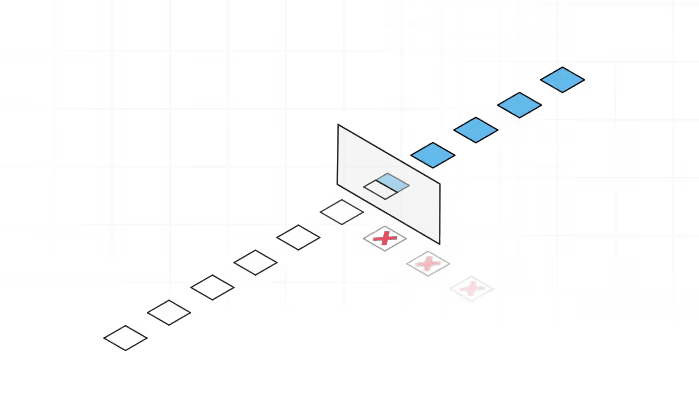
Let AI agents work directly on production data without risk. Runs are isolated, publishes are atomic, and failed or bad changes can be rolled back immediately. Tests and expectations can gate publication before anything reaches your production tables.

03

Use cases

Automate data engineering workflows with simple agent skills,
from assessing the feasibility of a request to building and maintaining production pipelines at scale.

Data transformation pipelines

Build and iterate on data pipelines the same way you build software. Agents and engineers write transformations in code, run them against real data in isolation, inspect results, and iterate quickly before publishing a correct version to production.

Safe data ingestion

Ingest new data without breaking downstream systems. Data is written to an isolated branch, validated with quality checks, and published atomically only if it passes, so bad files or schema issues never reach production tables.

Debug & fix pipelines

Use your AI agent to diagnose import and pipeline issues, replay failed runs against the exact state that produced them, and propose a fix in a separate data branch. Review and merge when ready. Production stays untouched until you say so.

Data exploration and discovery

Inspect schemas, sample rows, and run profiling queries on isolated branches, so engineers and AI agents can understand what is actually in the data before making or proposing changes.

04

Integrations

Integrate with your storage, warehouses, and developer workflow.
Read more about Bauplan integrations in our docs.

05

A whole data platform in your repo

Branch, inspect and merge data like code

Bauplan models the state of your data as branches and commits. Create branches, run changes, inspect history, and merge only when tests are passed.

import bauplan
import pandas as pd

client = bauplan.Client()

dev_branch = client.create_branch(
    branch=f"fritz.dev",
    from_ref="main",
)

tables = client.get_tables(ref=dev_branch)
print(tables)

preview = client.query("SELECT * FROM my_table LIMIT 5", ref=dev_branch)
print(preview.to_pandas())

client.merge_branch(source_ref=dev_branch, into_branch="main")
import bauplan
from bauplan.standard_expectations import expect_column_no_nulls

@bauplan.model()
@bauplan.python(pip={"pandas": "2.2.0"})
def clean_data(data=bauplan.Model("my_data")):
    df = data.to_pandas()
    return df.dropna()

@bauplan.expectation()
@bauplan.python("3.10")
def test_clean_data(data=bauplan.Model("clean_data", columns=["id"])):
    return expect_column_no_nulls(data, "id")

Native Python execution. No infrastructure to manage.

Pipelines are ordinary Python and SQL functions. Declare environments and quality checks in code. Execution is managed by the platform.

One control loop for humans and agents

A few predictable primitives for developer and AI agents. Every workflow follows the same loop: branch → run → inspect → merge.

import bauplan

client = bauplan.Client()
dev_branch = f"fritz.dev_branch"

client.create_branch(branch=dev_branch, from_ref="main")

state = client.run(project_dir="./my_project", ref=dev_branch)

if state.job_status.lower() != "success":
    raise Exception(f"{state.job_id} failed: {state.job_status}")

client.merge_branch(source_ref=dev_branch, into_branch="main")
07

FAQs

What if I already have Databricks or Snowflake?
Plus

Great! Bauplan is built to be fully interoperable. All the tables produced with Bauplan are persisted as Iceberg tables in your S3, making them accessible to any engine and catalog that supports Iceberg. Our clients use Bauplan together with Databricks, Snowflake, Trino, AWS Athena and AWS Glue, Kafka, Sagemaker, etc.

What does Bauplan replace in my AWS data stack?
Plus

Bauplan consolidates pipeline execution and data versioning into one workflow: branch, run, validate, merge. You can keep S3 and your orchestrator; you remove a lot of cluster complexity and glue. For example, an Airflow DAG that spins up an EMR cluster, submits Spark steps, then runs an AWS Glue crawler to refresh the Glue Data Catalog before triggering downstream jobs becomes: Airflow triggers a Bauplan run on an isolated branch that writes Iceberg tables directly to S3.

How do you keep my data secure?
Plus

Your data stays in your own S3 bucket at all times. Bauplan processes it securely using either Private Link (connecting your S3 to your dedicated single-tenant environment) or entirely within your own VPC using Bring Your Own Cloud (BYOC).

Do I need to learn a new data framework or DSL?
Plus

No. Bauplan is just Python (and SQL for queries). That why your AI assistant can immediately write Bauplan code with no problem.

What does Git-for-Data mean?
Plus

Bauplan allows you to use git abstractions like branches, commits and merges to work with your data. You can create data branches for your data lake to isolate data changes safely and enable experimentation without affecting production, and use commits to time-travel to previous versions of your data, code and environments in one line of code. All this, while ensuring transactional consistency and integrity across branches, updates, merges, and queries. Learn more.